
When changing a website domain, map each old URL to its closest relevant new destination. Do not send every page to the homepage simply because the domain is changing. A useful redirect map explains which pages remain, merge or retire, then helps the team verify that visitors reach the right answer.
This article focuses on the mapping list rather than the whole migration project. The new domain still needs ready content and other configuration. Prepare the map before the move so page-level decisions are not improvised while visitors are already following old links.
Collect URLs that have actually been used
Start with important pages, sitemaps and available page data from Search Console or analytics. Add links used in business profiles, print materials, advertising and customer messages. A URL absent from the menu can still receive visitors or incoming links.
Record the full address, including variations known to be in use. Avoid adding thousands of speculative possibilities simply to make the list appear comprehensive. The purpose is to capture real routes and explainable rules, not an unprioritised collection of guesses.
Pay particular attention to service, contact, catalogue and article pages already helping readers. For a bilingual site, identify each edition separately. An Indonesian page should normally reach its Indonesian equivalent where available, and the same applies to English.
Map each URL to its closest equivalent
Find the new page answering a similar need. An old service page should reach its replacement service rather than a general article containing the same keyword. If pages are merged, the destination should genuinely cover the information their readers sought.
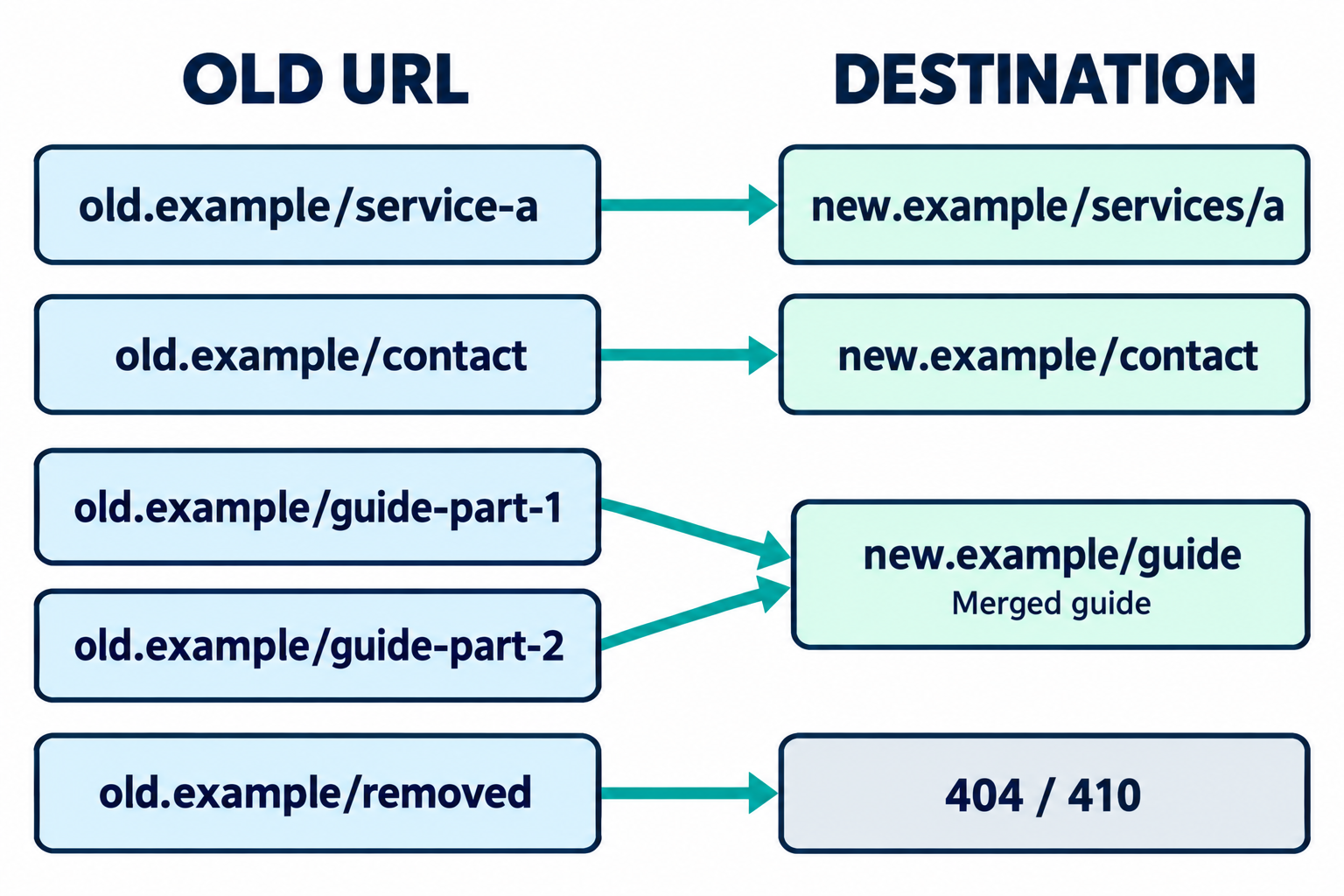
| Example old URL | Decision | Destination or response |
|---|---|---|
| /service-a/ | Service remains available | Service A on the new domain |
| /contact-us/ | Contact information updated | The relevant new contact page |
| Two similar guides | Intentionally merged | A complete guide replacing both |
| Page with no replacement | Retired | An appropriate 404 or 410 response |
| English article | Language edition retained | The English article at its new location |
These are fictional paths. Your map should contain real URLs and a reason for each decision. Do not mark a page as merged merely to avoid deciding what to do with content that is no longer relevant.
Redirect directly to the final location
Google recommends permanent server-side redirects, such as 301 or 308, where possible. Avoid chains through temporary addresses. A direct final destination helps visitors and makes the outcome easier to check.
Review www variants, HTTPS and trailing-slash formats according to the site’s decisions. A general rule can help where paths stay unchanged, but record exceptions. An overly broad rule may alter pages that should remain distinct.
Assess parameters according to their purpose. Tracking parameters differ from those selecting meaningful content. Do not automatically discard or retain everything without understanding the effect on the destination page.
Use the map as a checking list
Add a decision owner and checking status. The content team can judge whether the answer is equivalent, while the website provider checks redirect behaviour. Both matter: a technically successful response does not establish a relevant destination.
Check important rows using the exact old addresses recorded. Confirm the final destination, readable content, correct language and absence of loops. A browser showing no error message is not enough to mark the mapping complete.
Internal links on the new website should also use final addresses. Redirects support old routes; they are not a reason to retain every outdated internal link. Update sitemaps and important references to reflect the new state.
Observe the move without promising instant results
Retain the old domain and necessary arrangements according to the migration plan. The move is not complete merely because the new homepage opens. Search engines need time to process changes, and people may still follow old printed or shared material.
If using Search Console, review the scope of Change of Address. It applies to particular moves and is used after the site has moved and redirects are in place. It does not replace page mapping or guarantee unchanged rankings.
Keep notes when a destination changes after the move. Update the original mapping rather than leaving the old route pointing through an unnecessary intermediate page. A maintained decision list is more useful than a spreadsheet abandoned immediately after launch.
Suppose service A receives a new address during the domain move and that address changes again later. Test the original URL, not only the intermediate one. It should reach the relevant final page directly where possible. Without updating the map, one checked link can look correct while visitors following the oldest shared address still take an unnecessary detour.
For the wider project, read website redesign and SEO migration. When discussing a move with WebsiteKilat, bring real URLs, content decisions and the destination domain. A clear list makes the transition reviewable before technical rules are applied.


