
A company profile PDF and a website can complement each other. A PDF provides a document that can be sent as a file, while a website provides an address people can visit for maintained information. The right choice depends on how prospects find and use information about the business.
Before producing both, define each one’s job. Repeating everything without an update process can create two conflicting versions of the company. Clear scopes and shared factual references are more useful than numerous pages that become difficult to keep consistent.
Start with how the material reaches people
Ask how prospects first encounter the business. Do they receive an introduction by email, request a document for vendor evaluation or search for services online? Material supporting one route may not be sufficient for another.
A PDF can be an appropriate handover when the recipient specifically requests a document. For people still researching an unfamiliar company, website pages offer an address they can visit, share and discover.
Do not assume every prospect wants to download a file. Equally, do not insist on a website link when a procurement process clearly requires a document. Record the recipient’s needs before deciding on format and length. This also helps distinguish a general introduction from a submission prepared for one particular opportunity.
Separate useful depth from page count
A short document can introduce identity, core services, permitted evidence of experience and contact details. A website can divide material into pages corresponding to visitors’ questions. Choose depth according to those needs rather than a page-count target intended to look substantial.
Adobe’s company overview guide discusses elements of an introductory business document. Use it as structural background, then supply the company’s own facts. Awards and client lists do not need to be added without supporting evidence and appropriate permission.
Where the service or product range is extensive, consider a main overview and separate detailed material. Placing every specification in one profile can make relevant information harder to locate. Give supplementary documents clear names and purposes so readers know which one they need.
Plan updates and distribution
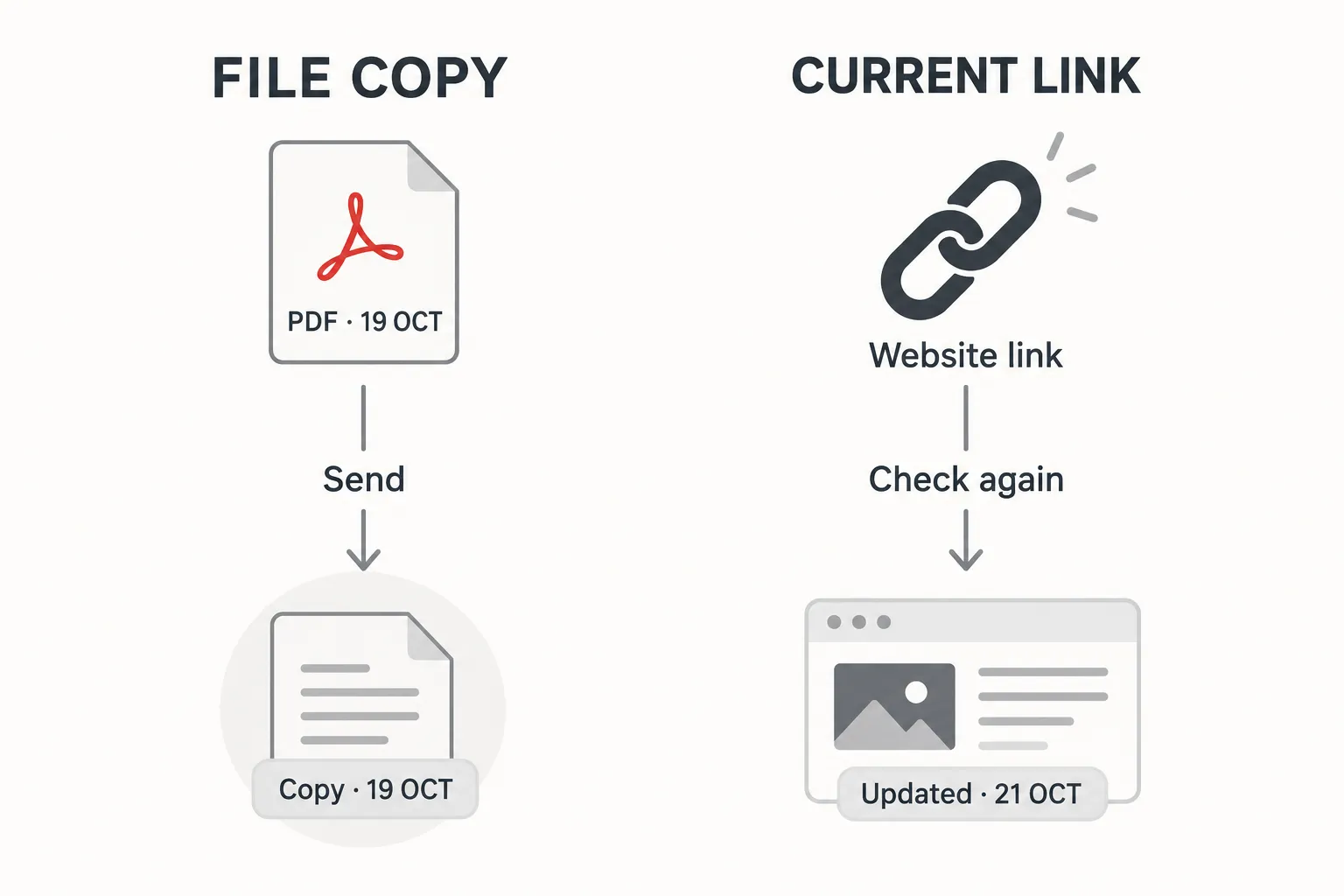
A PDF already forwarded through a conversation does not automatically change when its source document is revised. Provide a visible version or publication date and a way to obtain the current copy. A filename such as “final latest new revision” does little to help its recipient.
For a website, identify who updates important facts and who reviews them. Public pages can serve as the main reference for information that changes regularly, but they still need maintenance. An unchanged address does not guarantee current content without an accountable owner.
One practical arrangement is to maintain an internal factual reference, update the website after approval and then publish a dated PDF. Adapt the sequence to the business. The important point is that a changed contact number or service scope should not be corrected in only one format.
Consider the recipient’s device
Open the PDF on a phone similar to the one customers use. Can they read the text without zooming into every paragraph? Must they wait for a large file merely to find a contact number? Select photographs and document length around its actual purpose.
For the website, consider whether visitors can understand the path to services and contact information on relevant devices. Documents and web pages support different reading habits. Copying a print layout into a long website image does not necessarily create a useful reading experience.
Links inside the PDF can lead to additional information. Use clear destinations and check that they remain relevant. Also consider someone printing the document: basic company identity and contact details should remain understandable without relying entirely on a digital button.
Give each format a straightforward role
| Recipient need | PDF role | Website role |
|---|---|---|
| Receive an introduction | A shareable summary | Introduction and further information |
| Check service details | A versioned overview | Maintained service pages |
| Pass information to colleagues | A file with version identity | A link to the same maintained source |
| Ask about a new requirement | Clear contact details or link | A relevant enquiry route |
This does not mean every business needs both formats immediately. Prioritise the one addressing the most pressing need, then add the other when it has a real purpose. Producing two formats merely to expand a project deliverables list can add maintenance without helping readers.
Keep evidence and contact routes aligned
Legal names, brand names, addresses and experience claims should be consistent with their intended roles. Where information is deliberately private, define the appropriate document version. Do not copy internal details onto a website simply because they appeared in a restricted submission.
Before distribution, check contacts and supporting evidence. Obtain relevant permission for logos, project photographs or customer quotations. Attractive material can still confuse people if it points to an old contact or describes a service the company does not offer.
Read company profile website structure to organise an understandable public reference. When discussing requirements with WebsiteKilat, explain who receives the material and how updates will happen. Each format can then serve a clear role in the business process.


