
Choose WordPress or Astro for a business website around how the business manages content and functionality. WordPress provides a content management system with editing and publishing tools. Astro is a framework for building websites and can obtain content from various sources, including a CMS.
Their different roles mean the decision is not always an absolute either-or. A website can use WordPress as the place where staff write and Astro for the pages visitors receive. The useful choice is an arrangement that matches requirements and the team’s ability to maintain it.
Start with who updates the content
List who changes service pages, adds articles, replaces images and checks changes before publication. Does the business owner need to do this independently, or are updates deliberately managed by a service provider? That answer influences the editing interface the business needs.
WordPress features include publishing tools such as drafts, scheduling and revisions. These can matter to a team regularly managing content through a dashboard. Available features still need appropriate permissions and a workflow that fits the people using them.
For an Astro-based website, the editing experience depends on its content source and integrations. Do not assume every Astro site requires editing code, or that every implementation automatically includes a ready-made dashboard. Ask to see the workflow the team will actually receive.
Map who edits and how content is published
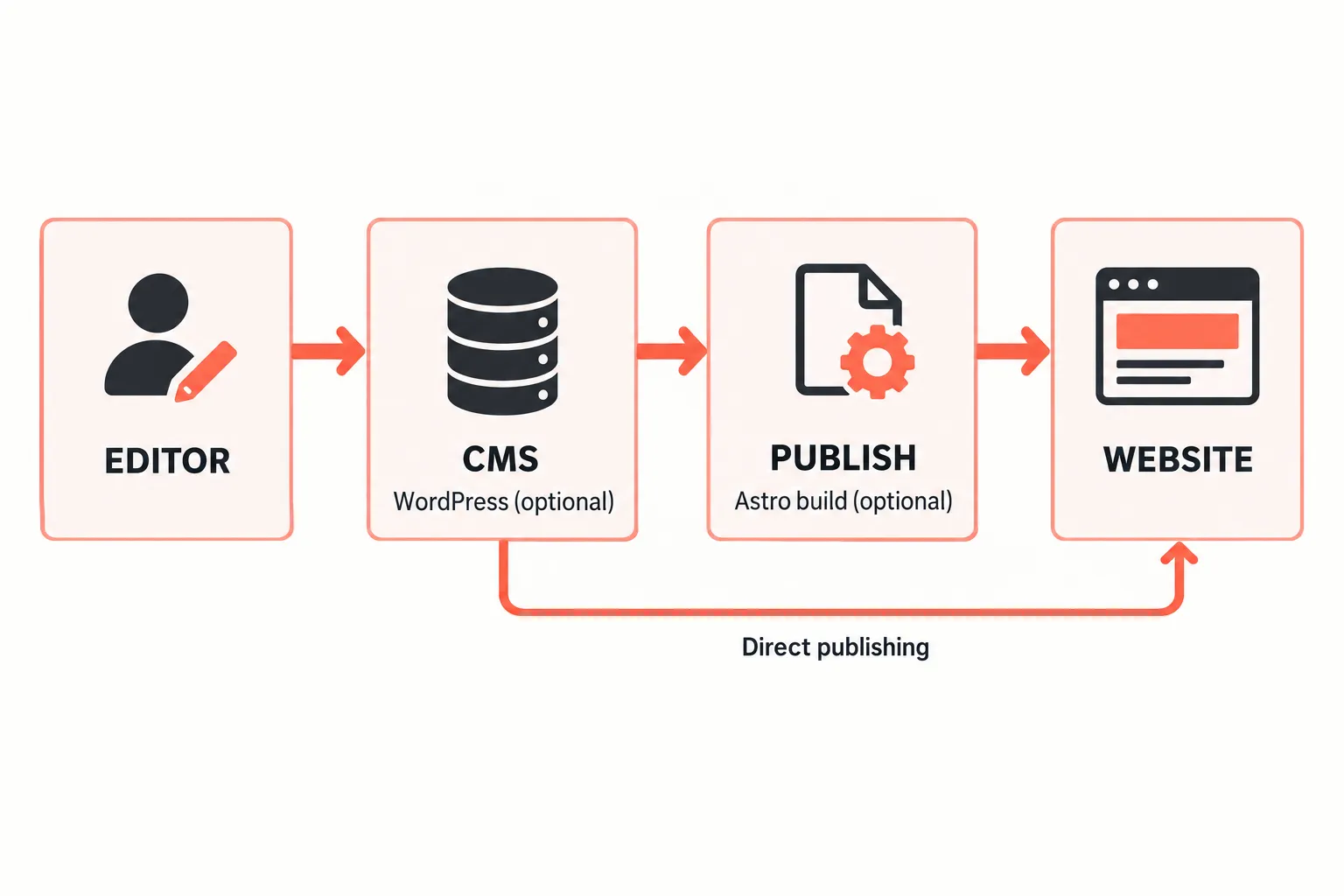
Use one real example: a staff member adds an article, a responsible person reviews it, and it goes live on a chosen date. Ask the provider to explain each person’s actions and how a mistake can be corrected. This is easier to assess than a list of technical terminology.
In some arrangements, saving a CMS change does not immediately update public pages. A build, approval or synchronisation step may follow. Content staff need to understand the status of their work and when visitors will see it.
The Astro guide to WordPress integration demonstrates that the two can work together. When considering that arrangement, ask who maintains the integration and recovers delayed publications. Combining tools also adds components somebody must understand and maintain.
List required functions before choosing
Separate information pages from transactions and application features. A company profile, articles, contact forms, a catalogue, customer accounts and payments have different requirements. A platform’s flexibility does not establish that every function is already included.
For each requirement, ask whether it uses a built-in capability, extension, external service or custom development. Identify who owns the account and data when an external service is involved. This helps the business understand the consequences of changing providers later.
A fictional service business might need only service pages, several case studies and an enquiry form. Another may have many editors and a content approval process. They do not necessarily need the same technical arrangement even if both call the project a company profile website.
Compare operating costs within equal scopes
The initial build price does not represent every ongoing requirement. Ask about hosting, software updates, change support, content management, licences and connected services. Compare equivalent components so an offer does not appear cheaper merely because substantial work sits outside its scope.
Include internal staff time. An editing dashboard that suits the team can reduce assistance for small updates. A website that changes rarely might instead suit an agreed content-update service. Neither arrangement is automatically the best value for every business.
Ask what is handed over when the working relationship ends: content, access, domain control, assets and relevant operating instructions. Do not judge costs solely by the platform name or assume that software without a licence fee makes the whole operation free.
Ask for evidence behind performance and security claims
A platform name alone does not guarantee speed, security or a particular search ranking. Outcomes depend on implementation, media, connected services, configuration and maintenance. Request explanations tied to the actual website’s needs.
Where a provider compares examples, check that they are reasonably equivalent. A simple information page cannot be directly compared with an application containing many additional functions. Ask what was measured and which parts will continue to be managed after launch.
For security, discuss access management, updates, backups and incident handling. For search, discuss content structure and whether pages can be discovered. Avoid choosing entirely on an unexplained promise that one technology is automatically better for SEO.
Select a workflow the team can sustain
Before approving the platform, request one demonstration from editing through publication. Let the person who will manage content attempt the steps. Record where assistance is needed and confirm that the agreed support covers it.
Read landing pages and company profile websites to clarify the kind of site required. When discussing the project with WebsiteKilat, bring the editor list, update frequency, required features and budget boundaries. The platform decision can then follow actual business work and clearly assigned responsibilities.


