
A quote-request form should collect enough information to understand the initial need and contact the prospective customer. It need not resolve every project detail on the first visit. If every field is mandatory, someone without a complete specification may leave before explaining the problem they need help with.
Begin with what the receiving team does next. Will they clarify requirements, assess service fit or prepare a quotation from an established specification? Required fields should support that step. Calling a form “request a quote” does not establish that a firm price can immediately follow every submission.
Separate initial needs from follow-up questions
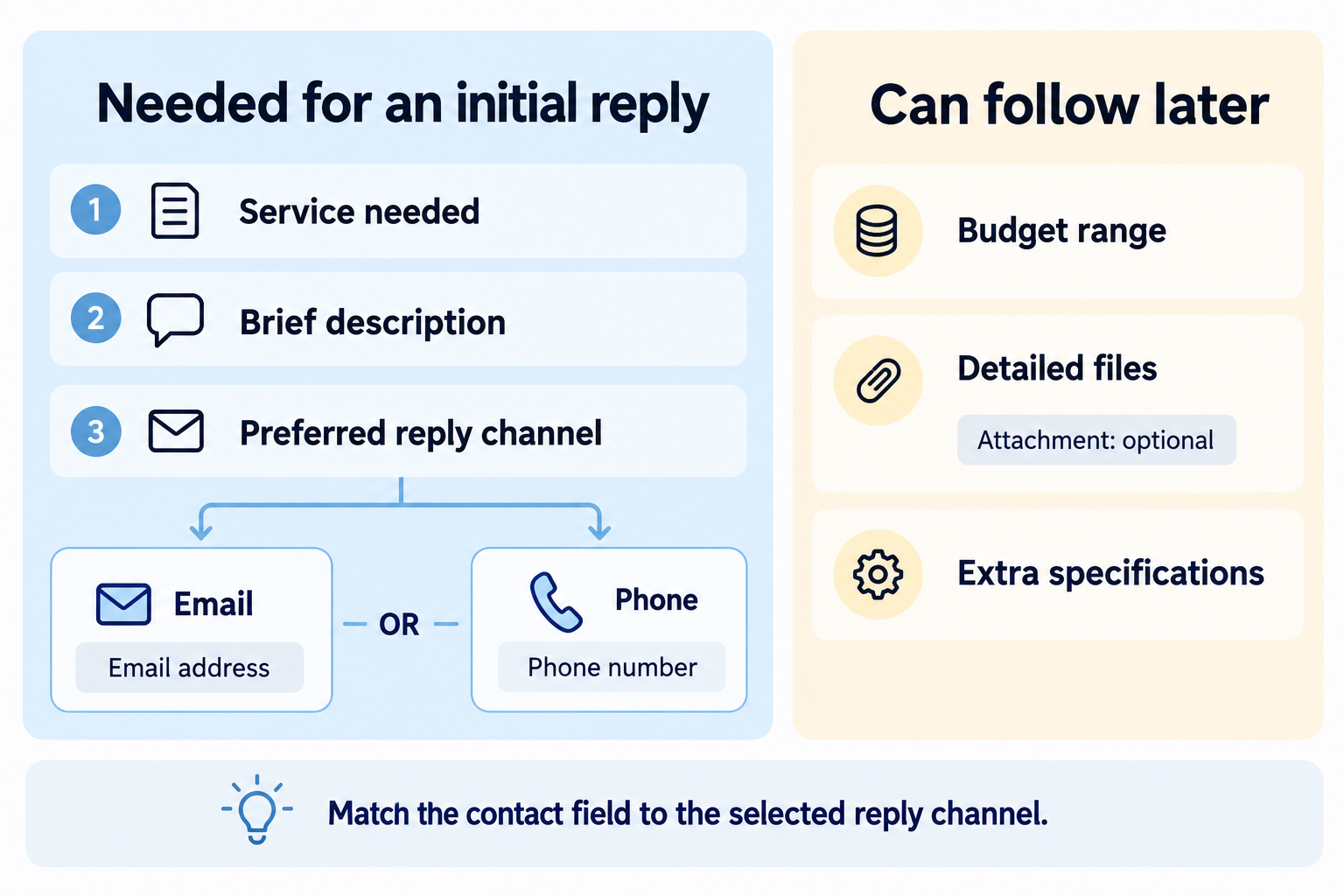
List the questions the team wants to ask and explain how each answer will be used. Information necessary for an initial response is a candidate for being required. Details needed only later can be deferred or offered as optional input now.
For example, a team may need the service type, a short description and one reply channel. The final page count, every product photograph or company documents may belong after the scope is clearer. This is not a universal field list: a product catalogue enquiry differs from work already defined by a technical specification.
| Purpose | Example placement |
|---|---|
| Understand the initial need | Service type and a short problem description |
| Reply to the enquiry | Contact details for the selected channel |
| Enrich the discussion | Optional reference or attachment |
| Complete a later stage | Details requested after reviewing the need |
W3C WAI’s forms guidance recommends asking for information relevant to the process. Use a purpose for each field rather than building a long form because every detail might conceivably be useful later.
Ask for contact details matching the reply method
If someone chooses an email reply, request the email address needed for it. If they choose a call or message conversation, request the appropriate contact information. Do not automatically require two channels when the team needs only one.
Explain the purpose in ordinary language. A person should understand whether the number is used to discuss their request or for another purpose the business actually applies. That explanation must follow real practice rather than being a reassuring sentence added without an operational basis.
Review name and organisation questions too. If individuals can enquire, a company name should not become mandatory without a process reason. Field requirements need to reflect the people the business actually serves.
Allow requirements that are not yet settled
A prospective customer may understand their problem without knowing the right service name. Where the workflow allows it, offer a “not sure yet” choice and room to describe the goal. Do not force an inaccurate selection merely to make submission possible.
Budget and timing can help the discussion, but establish whether either is necessary for the first response. If the team can handle “not yet decided”, make that answer explicit. Do not treat an initial estimate as an agreed project commitment.
Where a number is necessary, specify its unit and context. Product count, location count and page count describe different needs. A field labelled only “quantity” can produce a number that tells the receiving team very little.
Restrict attachments to useful material
A reference link or example document may help without needing to be mandatory. Describe the material wanted and what to do if the person does not have it. Avoid requesting identity records or other sensitive documents to begin a conversation when that stage does not require them.
If uploads are supported, clearly state the actual format and size limits. Users should not discover them only after completing the other fields. A reference-link alternative should also explain how to make the intended material accessible to its recipient.
Gravity Forms’ quote-request example includes service selection as one starting point. Product examples help demonstrate question formats; the final requirements still need to come from the team’s workflow rather than a copied template.
Test the effect of requiring each field
Ask the receiving team to read several sample enquiries. Remove one answer and ask whether they can still provide a useful next step. If they can, consider making that field optional or requesting it later. If they cannot, make sure its required status has a reason users can understand.
Also try someone without a reference, an individual without a company and a person uncertain about project size. The form should distinguish an enquiry that truly cannot be processed from information that is merely incomplete at an early stage.
Once the questions are agreed, continue with contact-form flow testing. WebsiteKilat uses a brief flow suited to its offered services; server forms and special receiving processes can be discussed when defining scope. Required fields can then serve an actual purpose for both customers and the team responding to them.


