
Website opening hours should describe the applicable schedule, including dates that differ from the normal pattern. “Monday–Friday, 09:00–17:00” does not explain whether the business closes on a particular date or whether those hours refer to visits, order collection or customer enquiries.
Begin with the service and location concerned. Where several branches exist, connect each schedule to its branch. Visitors should not have to assume that every location follows one contact card simply because they share a brand. Short information becomes more useful when its scope is explicit.
Identify which kind of hours is being shown
Shop hours, collection hours and administrative support hours can differ. Name the activity relevant to the visitor. “Order collection hours” helps someone planning a visit, while “customer-service hours” describes when the team handles enquiries.
If one schedule genuinely covers all those functions, confirm that with the business. Do not fill an unconfirmed section by copying the hours of another service. A missing detail can be resolved more easily than a confident-looking schedule that is wrong.
Include the time zone when readers may be elsewhere. WIB gives context to a displayed time in that zone. “Local time” needs an identifiable location rather than leaving people to interpret it according to their own device settings.
Place exceptions beside the regular hours
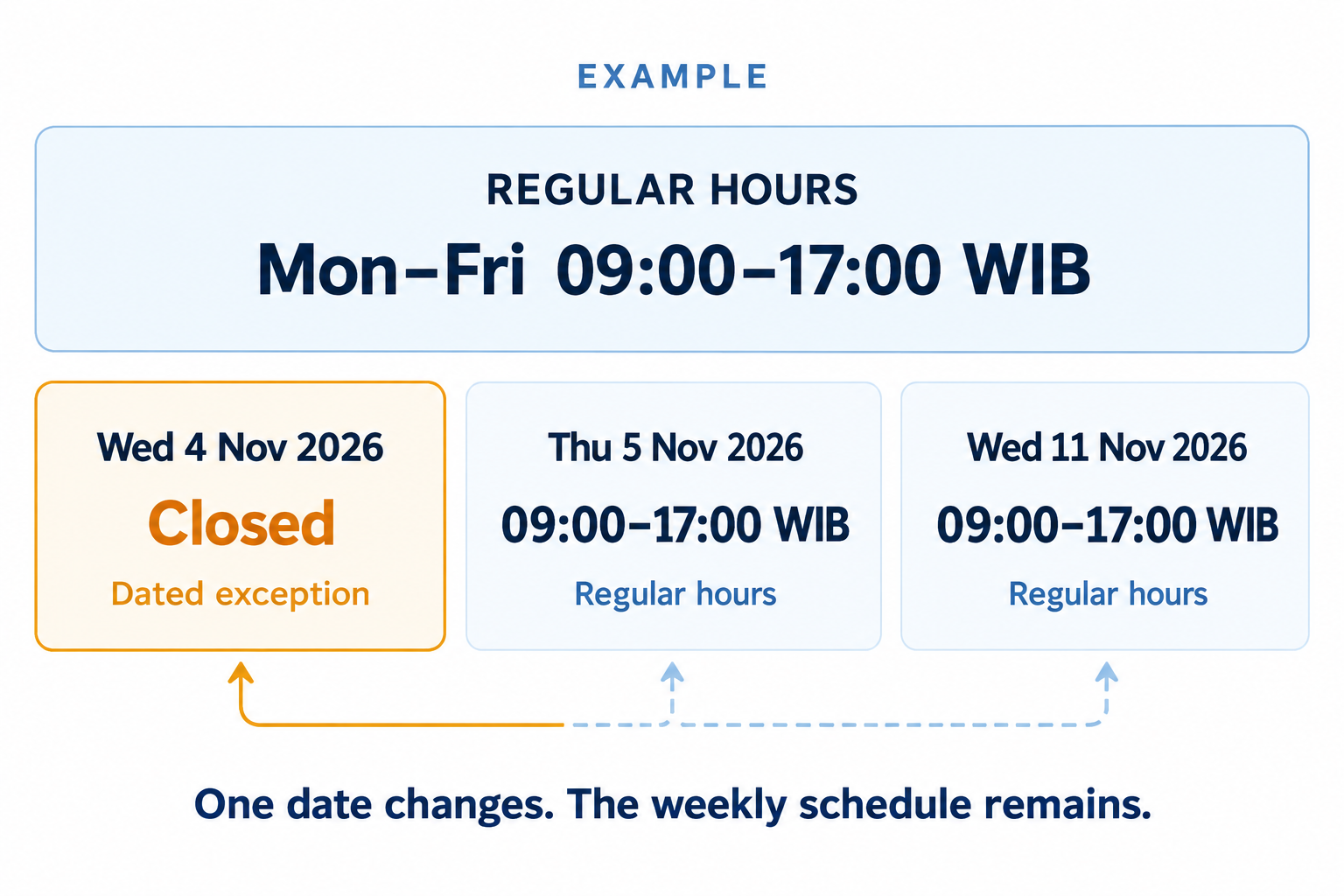
Consider an example business normally open Monday–Friday, 09:00–17:00 WIB. It closes its service on 4 November 2026 for an internal requirement. Display the regular pattern and dated exception together, so visitors do not need to locate an older announcement on another page.
That example date is a fictional business decision, not a statement about a national holiday. A one-date exception does not erase regular hours for Thursday or the following week. If service is shortened rather than closed, state the actual hours instead of an undefined “half day”.
Google Business Profile’s special-hours guidance distinguishes temporary adjustments from regular hours. A website benefits from the same separation: the team can update an exception without rewriting the entire weekly pattern.
Write dates that remain understandable
“Closed tomorrow” loses meaning in a screenshot or when left online for several days. Use a complete date, adding the weekday where helpful. For a range, identify its beginning and end and when the regular schedule applies again.
Avoid ambiguous numeric dates for a bilingual audience. “4 November 2026” is explicit, while 04/11 may be interpreted differently by someone accustomed to putting the month first. Translate the meaning and format consistently rather than copying a short number sequence without context.
For hours extending past midnight, explain the relationship between the days. Do not separate the information in a way that suggests closing happens at the start of the wrong day. Ask someone outside the writing team to describe the schedule back to you; their interpretation can reveal ambiguity the editor no longer notices.
Reconcile every place displaying the schedule
List the contact page, branch cards, footer, service pages and managed business profiles that contain hours. A change can be correct on the main page while contradicting a location card visitors frequently use.
Give the schedule source a clear owner. Where templates use shared data, update the data actually supplying those cards. Adding a notice to one page while leaving unexplained old hours elsewhere creates competing answers rather than a coordinated update.
Google’s LocalBusiness documentation describes opening-hours information in structured data. That technical representation should follow the visible business information. Markup does not replace deciding which schedule is correct, and it does not guarantee a particular search appearance.
Assign responsibility and an ending condition
Each exception should have an owner, a confirmation source, a date for publishing the notice and a time to end it. Without ownership, a closure announcement can remain visible after ordinary service resumes.
Where an end date is not established, describe the current situation accurately and provide a confirmation channel that is actually managed. Do not invent a reopening date merely to complete the card. Keep a changing internal proposal separate from information approved for publication.
Record the scope briefly so a staff handover does not repeat the confusion. For example, state that only collection at one location changes while other branches continue to follow their respective schedules. Clear scope prevents one temporary adjustment from becoming an unintended change across the whole business.
Check the information through visitor questions
Try the normal-day visitor, someone arriving on the exception date and a reader opening the other language edition. Each should receive the schedule for the same service and location without guessing how separate pages relate.
Also check what happens after the special date passes. Historical information can remain in internal records while the public page returns to the relevant current schedule. For planning this transition, read how website promotion content ends and bring the actual business schedule when discussing content management with WebsiteKilat.


